


System Architecture#
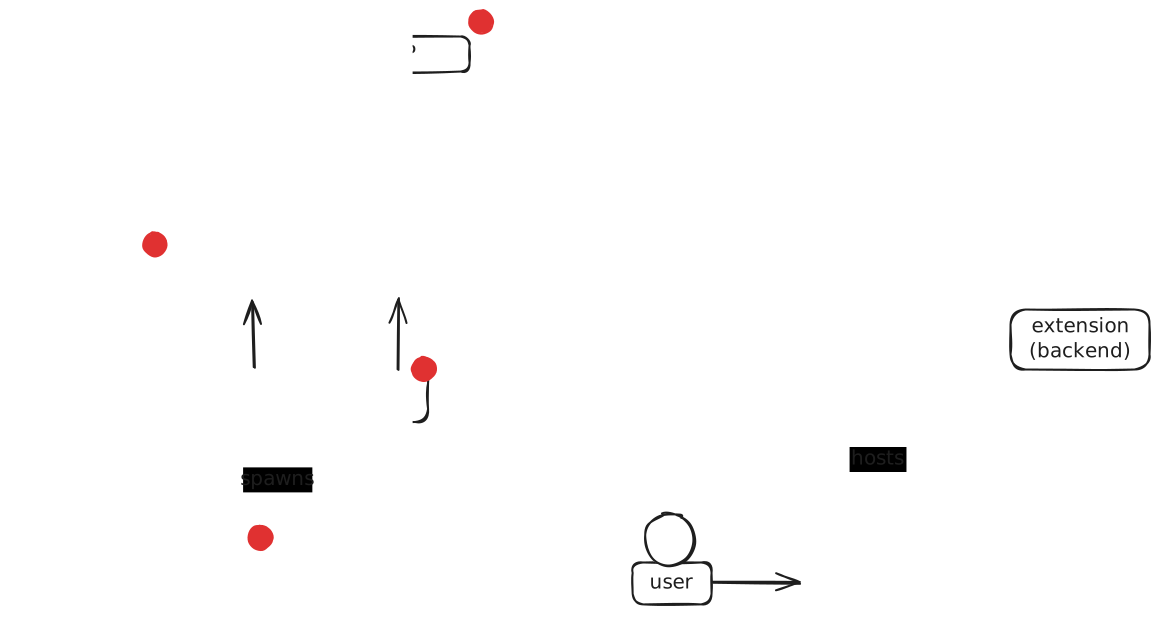
This documentation provides an overview of the architecture and the various components of the system.
First off: the Grader Labextension (the JupyterLab browser extension and the notebook server extension) and the Grader Service are developed together in a single repository, under packages/labextension and packages/service respectively.
They are tightly integrated, so it makes sense to show them alongside each other in the architecture overview below.
Grader Service is deployed using Helm. The repository also contains the chart definition. All components that are deployed as part of the Grader Service Helm chart are indicated by a red dot 🔴 in the architecture overview. JupyterHub has to be deployed alongside the Grader Service and the Jupyter team provides their own Helm chart for this. The database is a completely separate deployment. However, when using sqlite, a local file is automatically used without the need for any separate deployment.
The following sections will cover all components shown in the overview and discuss their interactions with other components.
JupyterLab Extension (Browser)#
The JupyterLab extension running in the browser allows users to interact with the grading system directly from the JupyterLab interface. It communicates with the backend extension hosted on the notebook server, sending requests and retrieving responses. The extension serves as the user interface for interacting with the Grader Service, which uses both the core JupyterLab API and additional endpoints provided by the backend extension. The authentication between the frontend and backend is automatically handled by the Jupyter environment.
Notebook Server and Extension (Backend)#
The backend extension runs on the notebook server as a JupyterLab plugin. It provides API endpoints for the JupyterLab extension (browser) and acts as a bridge/relay to the Grader Service. The backend extension facilitates communication between the Grader Service and Jupyter services via API calls. It is responsible for relaying user requests to the Grader Service, handling authentication tokens, and managing the connection between the user’s environment and the grading infrastructure.
The notebook server hosts the JupyterLab server along with the backend extension. It is spawned by JupyterHub upon user login and provides an authenticated environment for running Jupyter notebooks. The server extension ensures that all requests from users are authorized using token authentication before being relayed to the Grader Service.
JupyterHub#
JupyterHub manages user authentication and spawns notebook servers. It uses OAuth for authenticating users with the Identity Provider (IDP) and ensures that each authenticated user receives a separate, isolated notebook server environment. JupyterHub acts as the gateway for users to access the system i.e. users will access the system first through JupyterHub, which will first authenticate them and then spawn the notebook servers. The notebook servers host JupyterLab with the Grader Labextension plugin. JupyterHub needs a configuration file that has the Grader Service set up as an OAuth provider.
Grader Service#
The Grader Service is the primary backend service responsible for managing grading workflows. It consists of various components such as Celery workers, API endpoints, and a Git server. The Grader Service processes requests received from the backend extension, runs Git commands to retrieve files, queues auto-grading jobs, and returns the responses accordingly.
Identity Provider (IDP)#
The IDP authenticates users from JupyterHub via OAuth. It verifies user identities, issues authentication tokens or cookies for (API) access, and retrieves user data. The IDP can load roles from the Grader Service configuration file or update the database directly through post-authentication hooks, often integrating with external authentication providers like LTI.
LTI represents a special case where the authentication flow is inverted: authentication starts from an LMS, passing through the Grader Service to obtain relevant authentication data before a user can access JupyterHub. This differs from OAuth, where the Grader Service can directly relay authentication requests to the OAuth provider when users attempt to authenticate from JupyterHub.
API#
The API component of the Grader Service provides an interface for communication between the backend extension and the grading system. It exposes endpoints for submitting grading tasks or retrieving various objects (e.g., lectures or assignments).
Git Server#
The Git server provides endpoints to serve as Git remotes and is responsible for storing and managing grading-related code like assignment sources, release versions of assignments, student submission, and feedback files in separate repositories. The Git server facilitates file management in the Grader Service, supporting file retrieval and submission.
By integrating Git into the Grader Service, we can leverage its collaborative features, for example, enabling multiple instructors to work together on creating assignments.
Celery#
Celery manages background tasks within the Grader Service. It integrates with the RabbitMQ broker to queue and distribute auto-grading tasks to workers. Celery handles tasks asynchronously, enabling scalable and efficient grading workflows.
RabbitMQ Broker#
The RabbitMQ broker is a message queue that facilitates communication between the Grader Service and the auto-grading workers. It ensures that tasks are distributed to the appropriate worker processes for execution. The broker queues tasks from Celery and delegates them to workers for processing.
Grader Service Worker(s)#
Grader Service workers are processes that execute auto-grading jobs. They handle tasks delegated by the RabbitMQ broker,
perform grading, and report the results back to the Grader Service by updating the database and pushing results to the relevant repositories.
The workers enable parallel processing of multiple grading tasks, thereby improving system throughput.
These workers are created using Celery with the worker argument, which configures them to
perform the tasks described above. The workers have a separate CLI entry point and use the same configuration file as the actual Grader Service.
Database#
The database stores information related to grading tasks, user submissions, and results. It acts as a persistent data store, tracking the state of various grading operations and user interactions with the system. The database is deployed as a separate service, but SQLite can also be used as an alternative. When SQLite is used, no external database has to be deployed.
File System#
The file system is used to store temporary files and artifacts needed for grading (e.g., student submissions) or
generated during grading (e.g., gradebook.json files that store grading information and are subsequently stored in the database).
It also holds the bare repositories used by the Git server.
The file system needs to be shared between the Grader Service and the Grader Service workers,
or the pods spawned by the Kubernetes-based auto-grader.
Auto-Grading Jobs#
Auto-grading jobs are individual tasks responsible for executing grading processes. These jobs are initiated by the Grader Service workers
and handle the evaluation of user submissions, such as running notebooks for grading and transforming .ipynb files to HTML to generate feedback.
Auto-grading is accomplished using the grader_service.convert submodule, which can be executed as a command-line interface (CLI).
Different executors are available to manage this.
Warning
Security: Only the KubeAutogradeExecutor isolates student code from the service. The two local executors run student notebooks inside the worker process (or as a child process with the same user, environment, and filesystem access). A malicious submission can therefore read or modify the grader database, read other students’ submissions from the service data directory, and exfiltrate any secrets present in the worker environment. The local executors are not safe for production use with untrusted submissions. Use the Kubernetes installation with KubeAutogradeExecutor for any deployment that grades untrusted student code.
LocalAutogradeExecutor: Executes the module directly within the current Python process on the worker by importing the package and invoking the converters. Not isolated - student code has full access to the worker’s memory, filesystem, and open database session. Development/testing only.
LocalAutogradeProcessExecutor: Runs the submodule in a separate process. Slightly better than
LocalAutogradeExecutorbecause the conversion child only writes results togradebook.jsonand does not touch the database directly, but it still inherits the worker’s environment (including the database URL) and runs as the same user with the same filesystem access. Not isolated - development/testing only.KubeAutogradeExecutor: Spawns a Kubernetes pod to run the submodule. This is the only approach that allows different images for lectures, as the grading code must be executed in the same environment as the lecture. It is also the only executor that isolates untrusted student code: the pod receives no database credentials and runs with restricted permissions. This is the only executor recommended for production deployments.